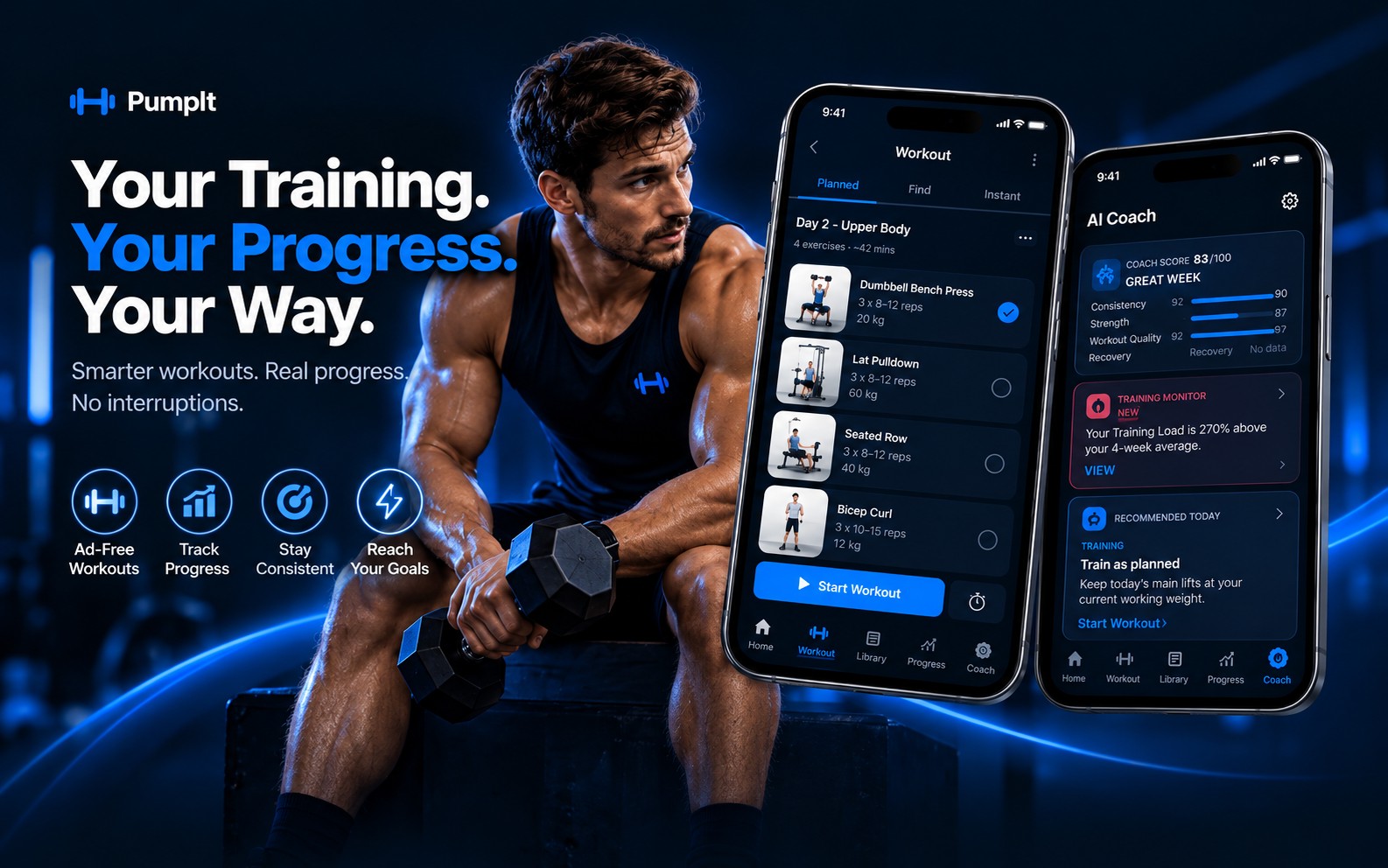
Your Workout. Your Progress.

See every feature in action

Real Android screens. A number in a screenshot is one example, not a result PumpIt promises.

Every plan

Know today's energy before you start.

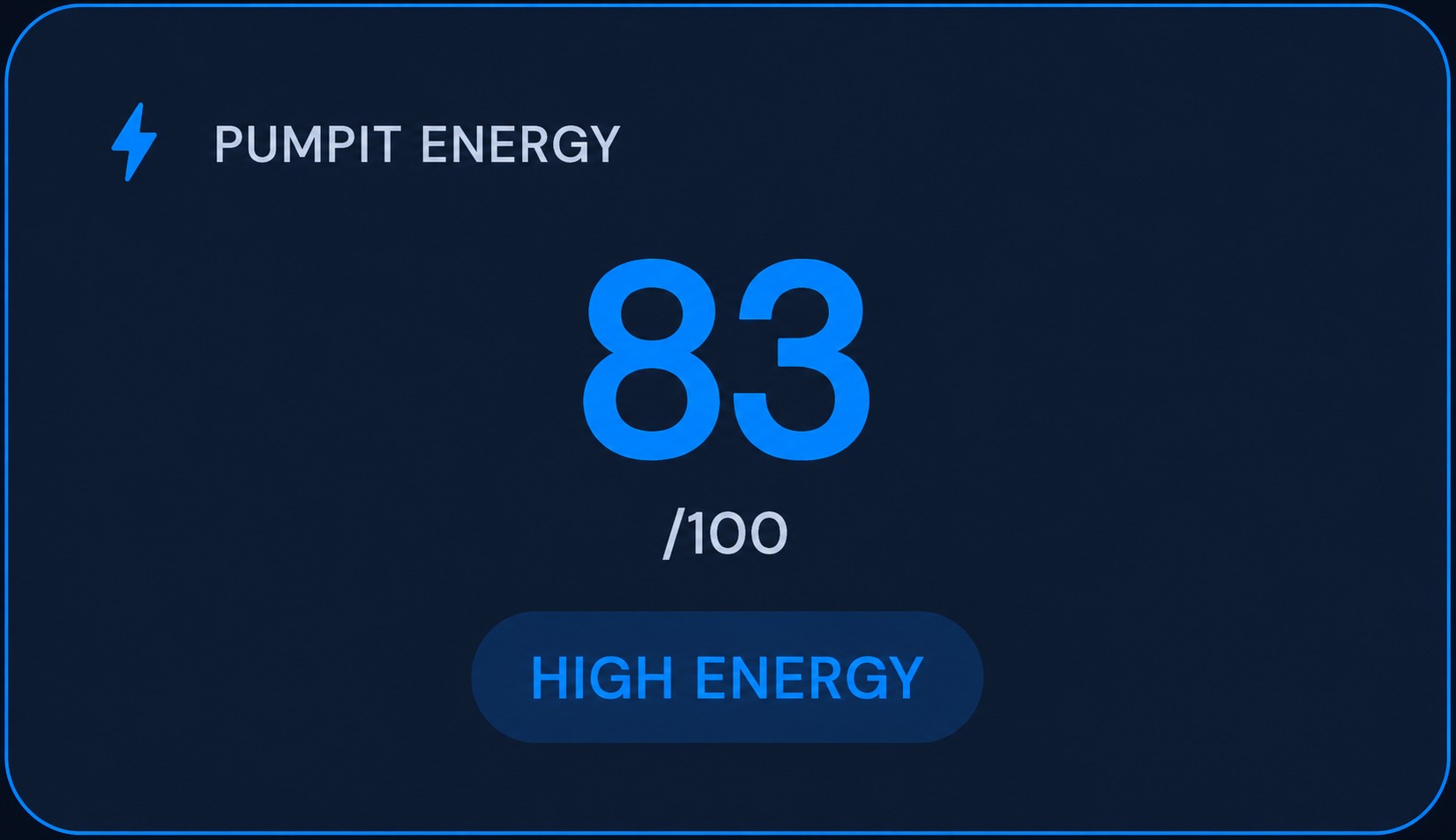
The score is today's training energy, from 0 to 100. It is a training signal, not a medical diagnosis. The 83 on this card is one example.

Morning readiness comes from sleep, recovery, and recent training. Activity during the day, time awake, and a limited nap credit can move the current score. PUMPIT STRESS is shown beside it and does not change the score.

  • Plus can offer a lighter session next to the original
  • AI Pro can add a workout for today only
  • A low score never blocks Start Workout
PUMPIT Energy card with a score of 83 out of 100, one example.

Every plan

Swap the exercise without ending the session.

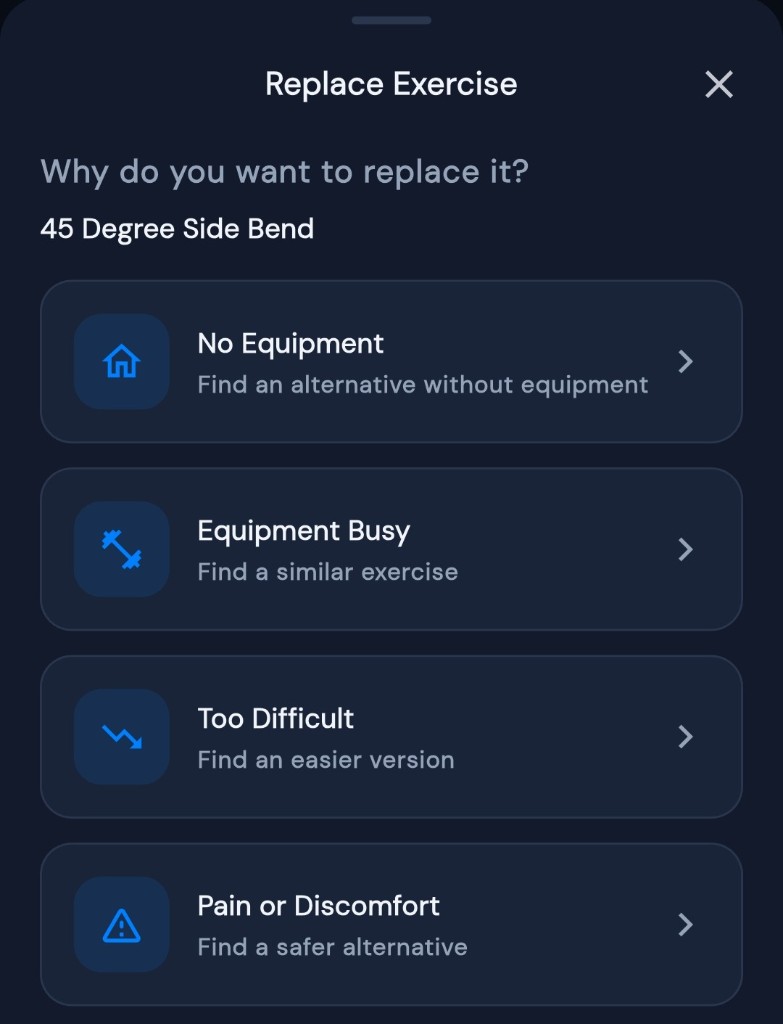
From the live workout, open Replace Exercise and pick a reason: no equipment, equipment busy, too difficult, or pain or discomfort.

Free is a manual swap. Plus suggests options for the same muscles. AI Pro ranks them as AI Recommended. The swap is for this session. Pain or discomfort is a reason to change the exercise, not a medical assessment.

  • Stay on the same workout screen
  • Manual choice, a suggestion, or an AI ranking
  • Log the exercise you actually did
Replace Exercise reasons: no equipment, equipment busy, too difficult, or pain or discomfort.

Plus · AI Pro

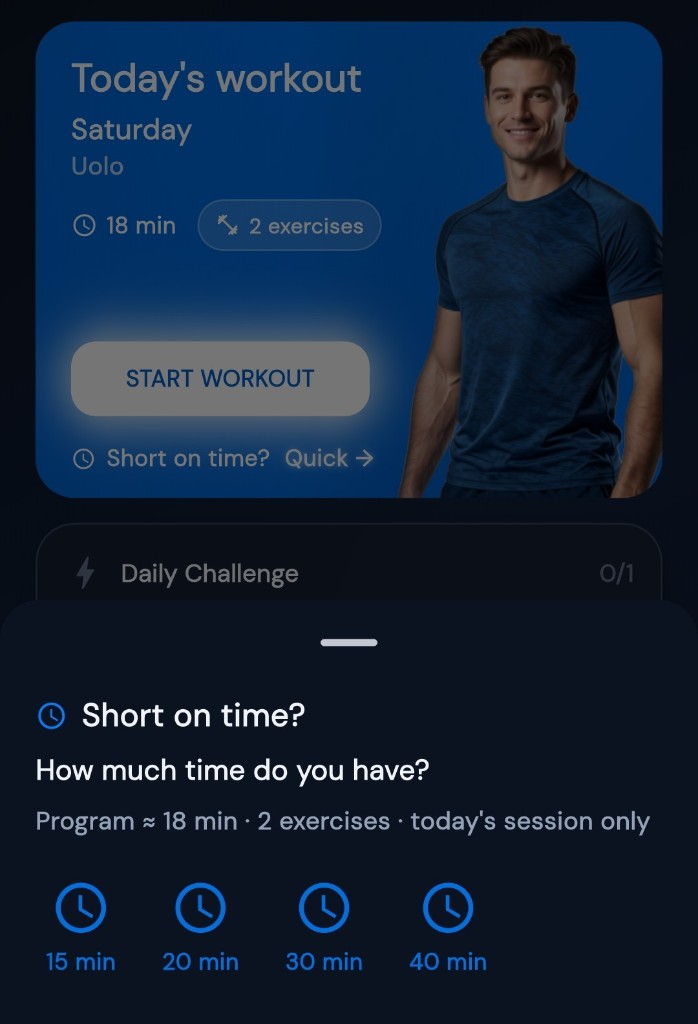
Shorten today when time runs out.

Choose how long you have, from 15 to 40 minutes, and start a shorter version of today.

Higher-priority lifts stay. Lower-priority accessories go first, and sets come down on the work in between. The saved weekly program is not rewritten.

  • Choose a time, then start
  • Keep the lifts that matter most
  • The regular plan stays as it is
Short on Time choices from 15 to 40 minutes.

Plus · AI Pro

See if the week is light, in range, or heavy.

Training Load adds up the PumpIt sessions you logged, from duration and intensity, with volume and heart rate when those were logged too.

The detail marks the week Low, Optimal, or High against a range, and the chart runs from 7 days to a year. At first the range follows your experience and training days. After enough weeks it is labeled your optimal range. It is a training view, not a medical measure.

  • Built from the sessions you logged
  • Low, Optimal, or High against a range
  • Your own range once there is enough history

AI Pro

See when the week moved off your baseline.

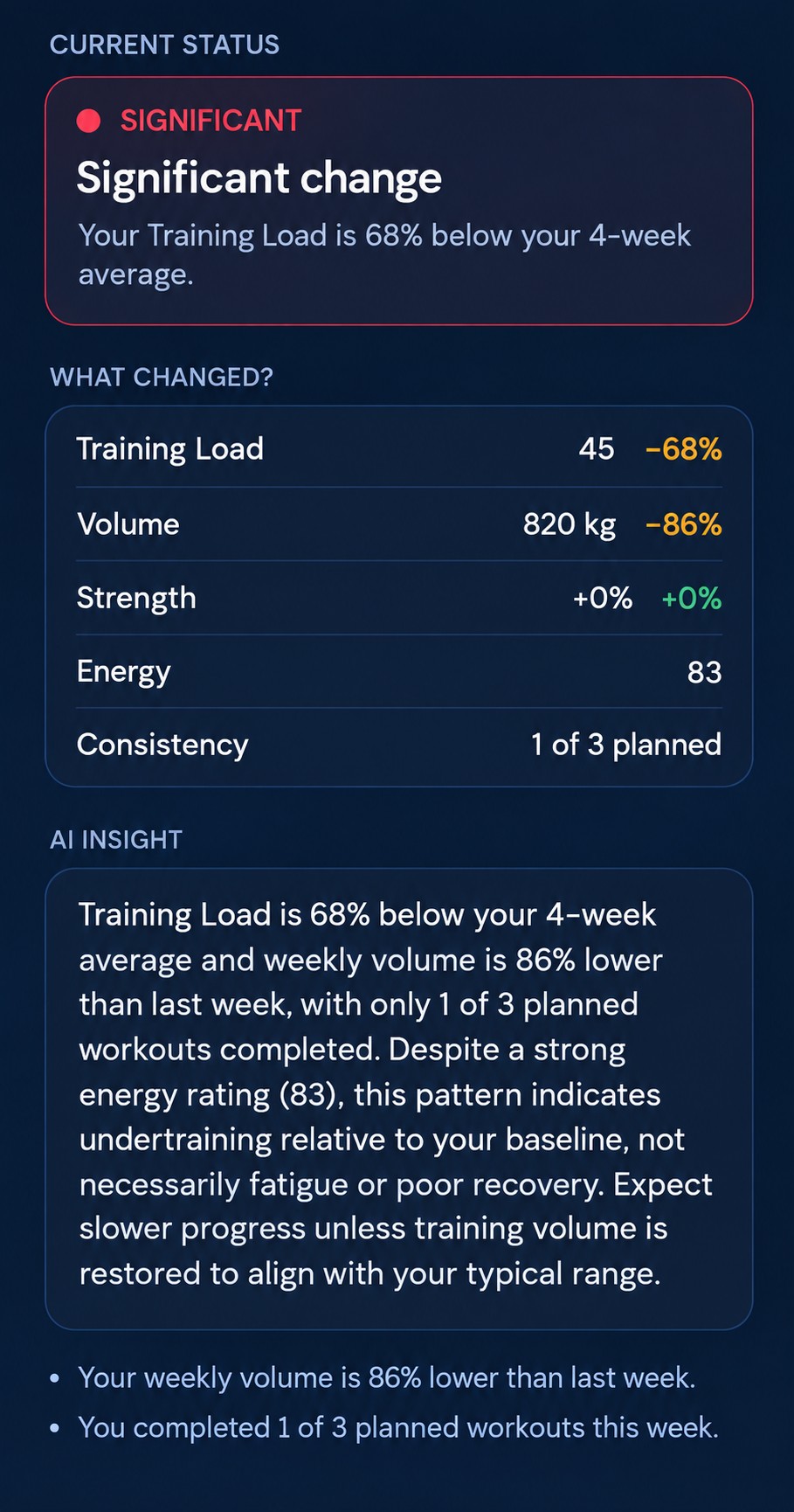
AI Training Monitor compares training load, volume, strength, energy, and consistency with your recent baseline.

It flags a change when something meaningful moved, and explains that change in plain language. The 68% on this screen is one example, not a typical week and not a medical finding.

  • One place for what changed this week
  • Load, volume, strength, energy, consistency
  • A note only when the shift is large enough
AI Training Monitor showing Training Load, volume, strength, energy, and consistency against a recent baseline.

AI Coach · AI Pro

Understand what's improving and what to focus on next.

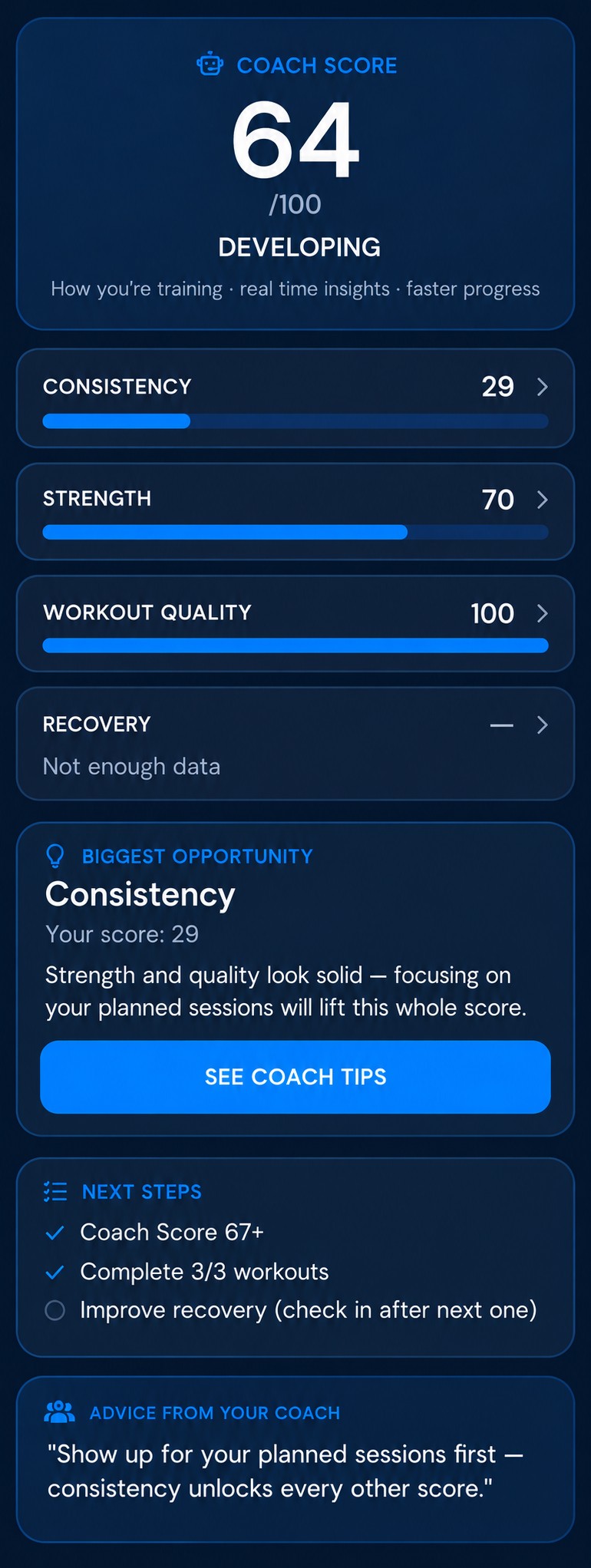
Coach Score is a weekly number from consistency, strength, workout quality, and recovery. The coach can explain it. It does not invent the number.

The four parts show what is holding the week back. You choose the next sessions.

  • Consistency, strength, quality, recovery
  • A note on what moved
  • You choose the next workout
Coach Score with consistency, strength, workout quality, and recovery.

AI Pro

A plan change only if you apply it.

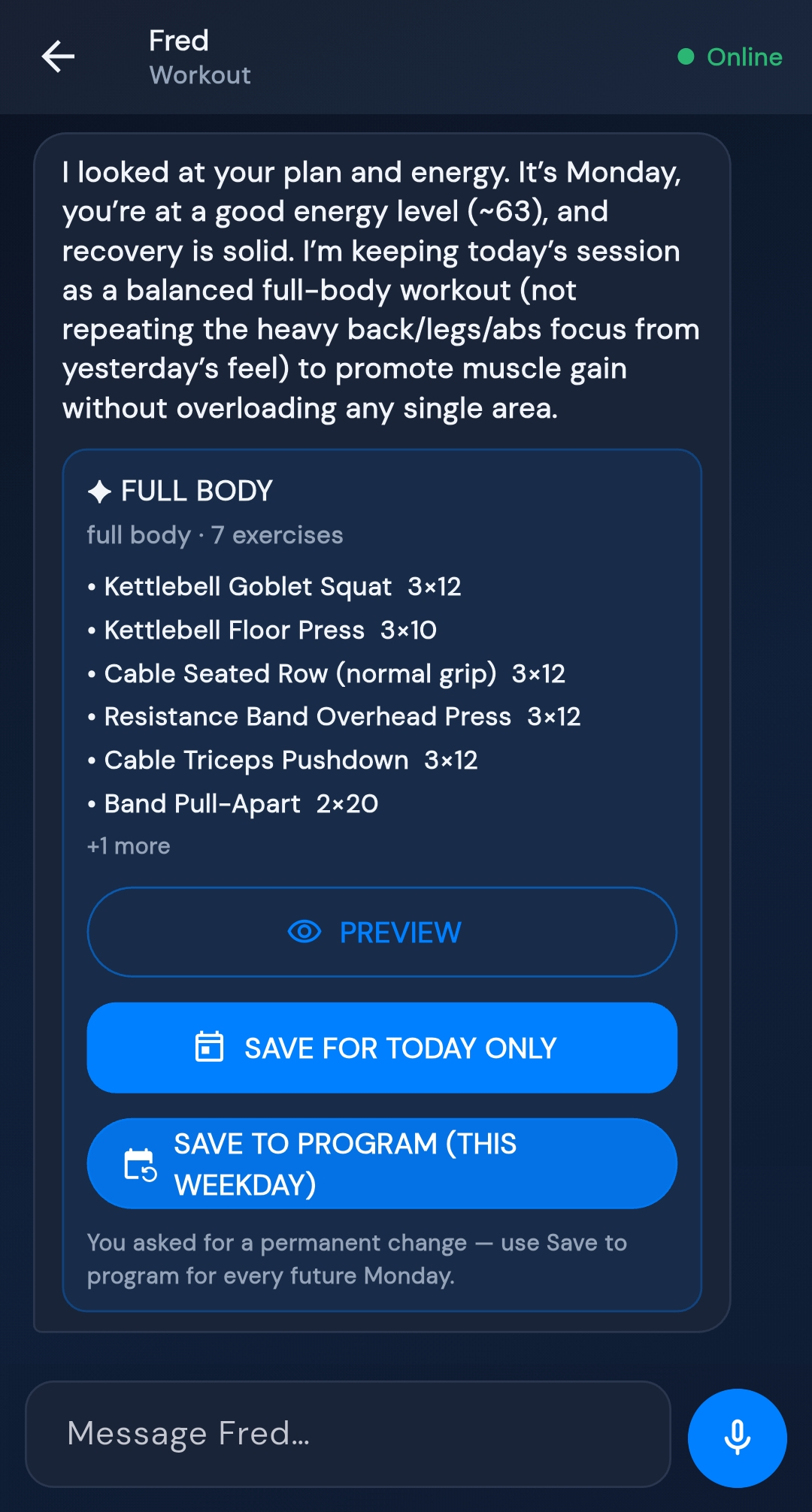
Adaptive Suggestion proposes a specific change when training load is high, energy is falling, or a skip pattern is strong enough.

That change can be a swap, an earlier placement, or less volume. Nothing is written to the program until you tap Apply Change. Keep Current Plan leaves it as it is. There is no background job editing the plan.

  • A specific change, not a vague tip
  • Apply Change, or Keep Current Plan
  • The program stays yours until you confirm
Adaptive Suggestion showing a proposed plan change with Apply Change and Keep Current Plan.

Your complete training system

The same account holds the plan, the session you log, and what changed afterward.

Plus · AI Pro

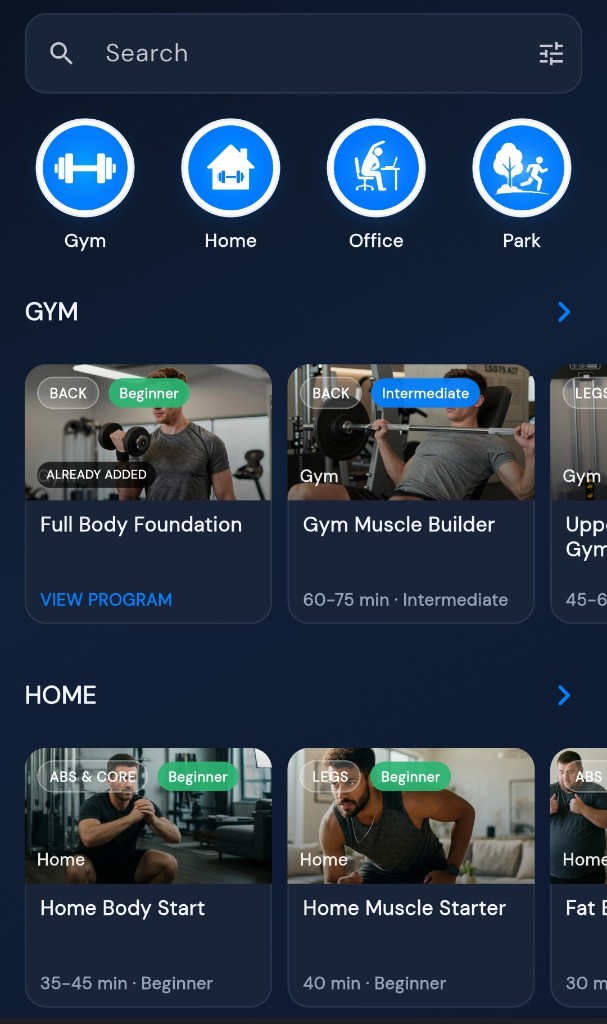
A program for where you train.

Filter by level, equipment, and where you train, then follow a program or build your own.

Free builds by hand or starts from the starter library. Plus opens more than 400 programs and can match one to your goal and equipment. AI Pro can ask the coach to build a new plan. You review it before it is added.

  • Manual build on every plan
  • Library and Smart Plan on Plus
  • Instant AI on AI Pro
Program library filtered by Gym, Home, Office, and Park.

Every plan

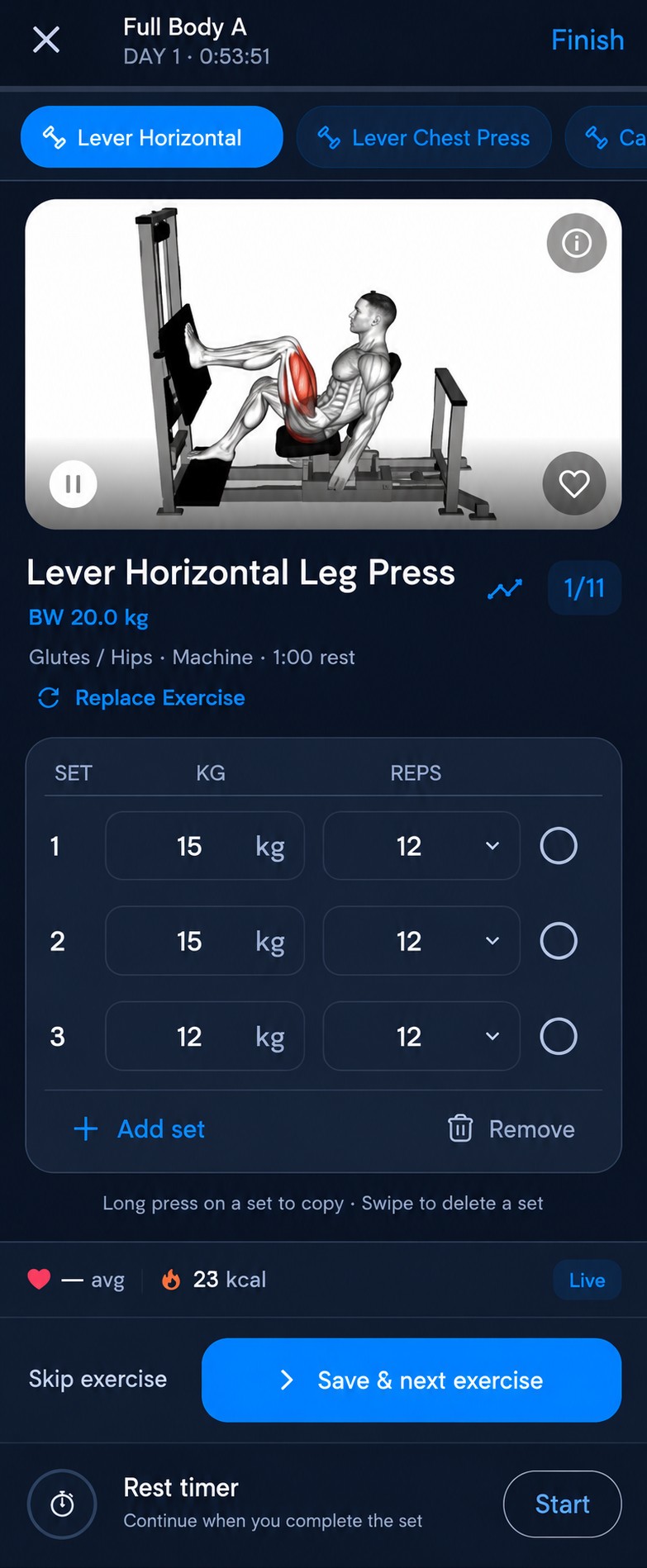
Log the session you actually trained.

Update weight, reps, and sets while you train, then save the session.

Skip an exercise or replace it without losing the workout. History keeps what you did, including a day you missed and came back to.

  • Sets, weight, and reps while you train
  • Skip, replace, or save
  • The log matches what you did
Active workout with sets, weight, reps, and Replace Exercise.

Plus · AI Pro

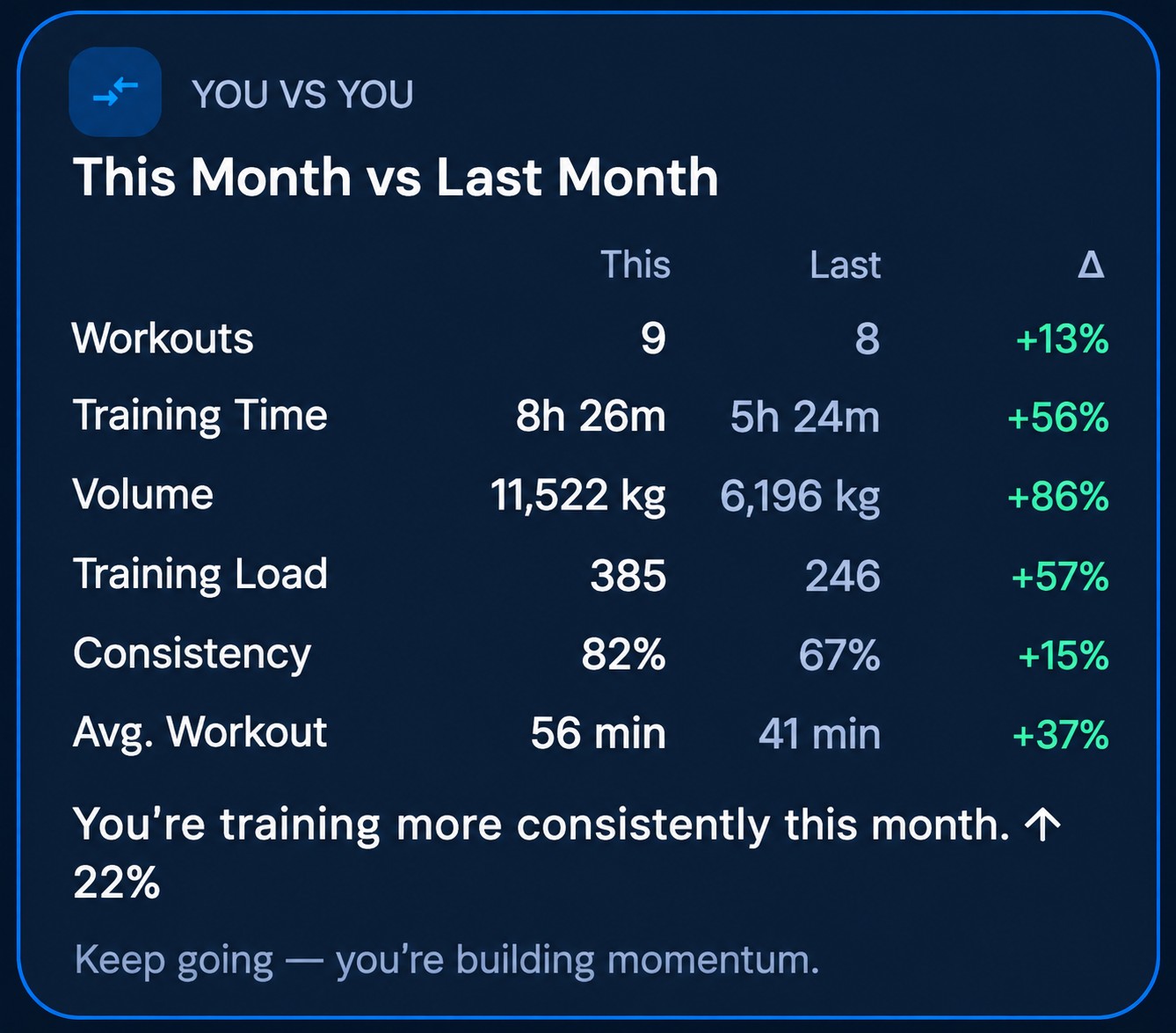
See this month against the last.

Every plan keeps records and recent history. Plus adds strength trends and this month against last month. AI Pro adds a short read on records, volume, time, and consistency.

On this example, consistency increased from 67% to 82% (+15 percentage points). The ↑22% under that sentence is the same change measured against last month's 67%. The other rows are relative changes: workouts 9 versus 8 (+13%), training time +56%, volume +86%, training load 385 versus 246 (+57%), and average workout 56 versus 41 minutes (+37%). These figures are one month, not a promised result.

  • Personal records
  • Strength and month to month on Plus
  • A plain-language read on AI Pro
This month compared with last month.

AI Pro

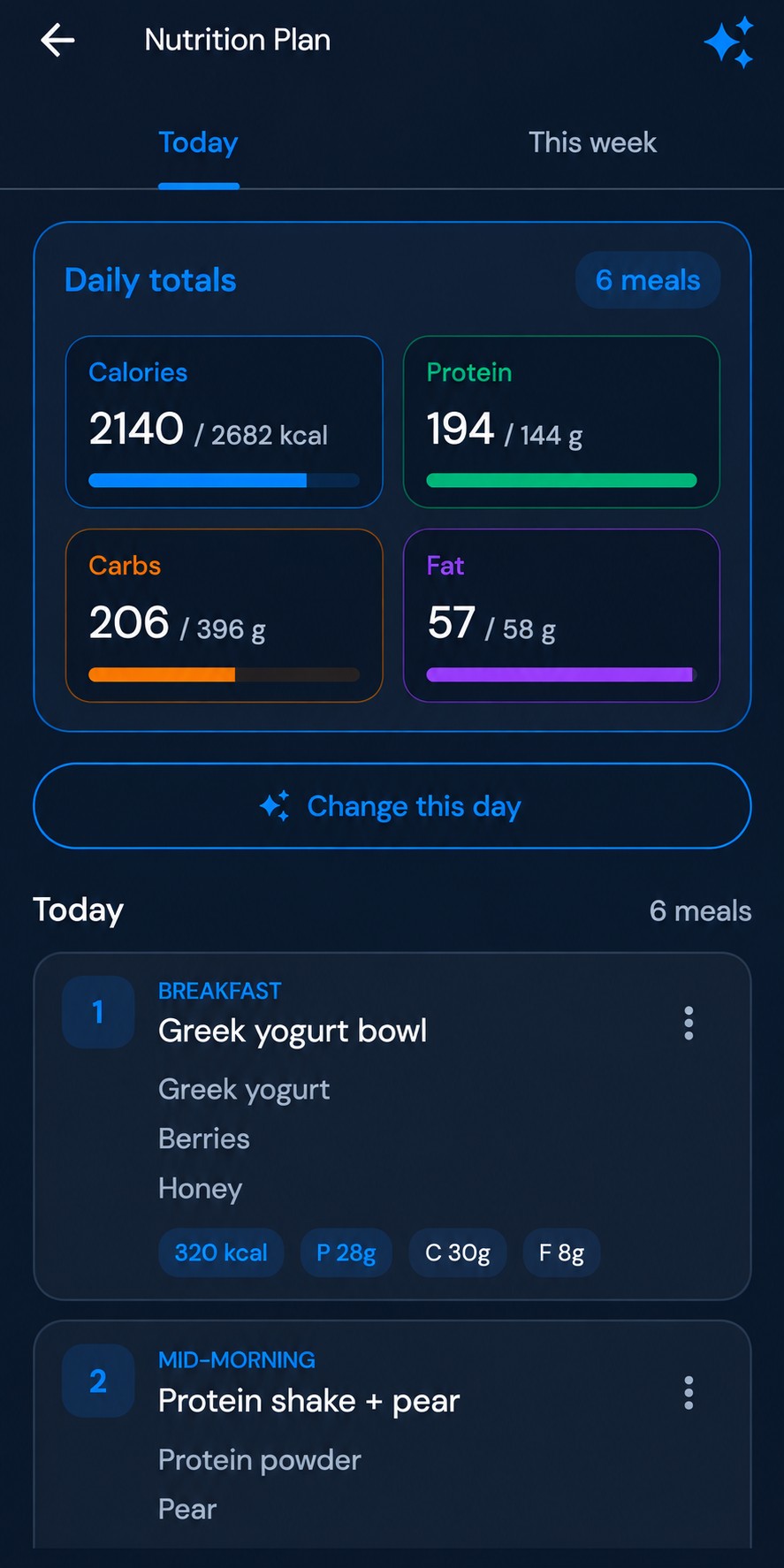
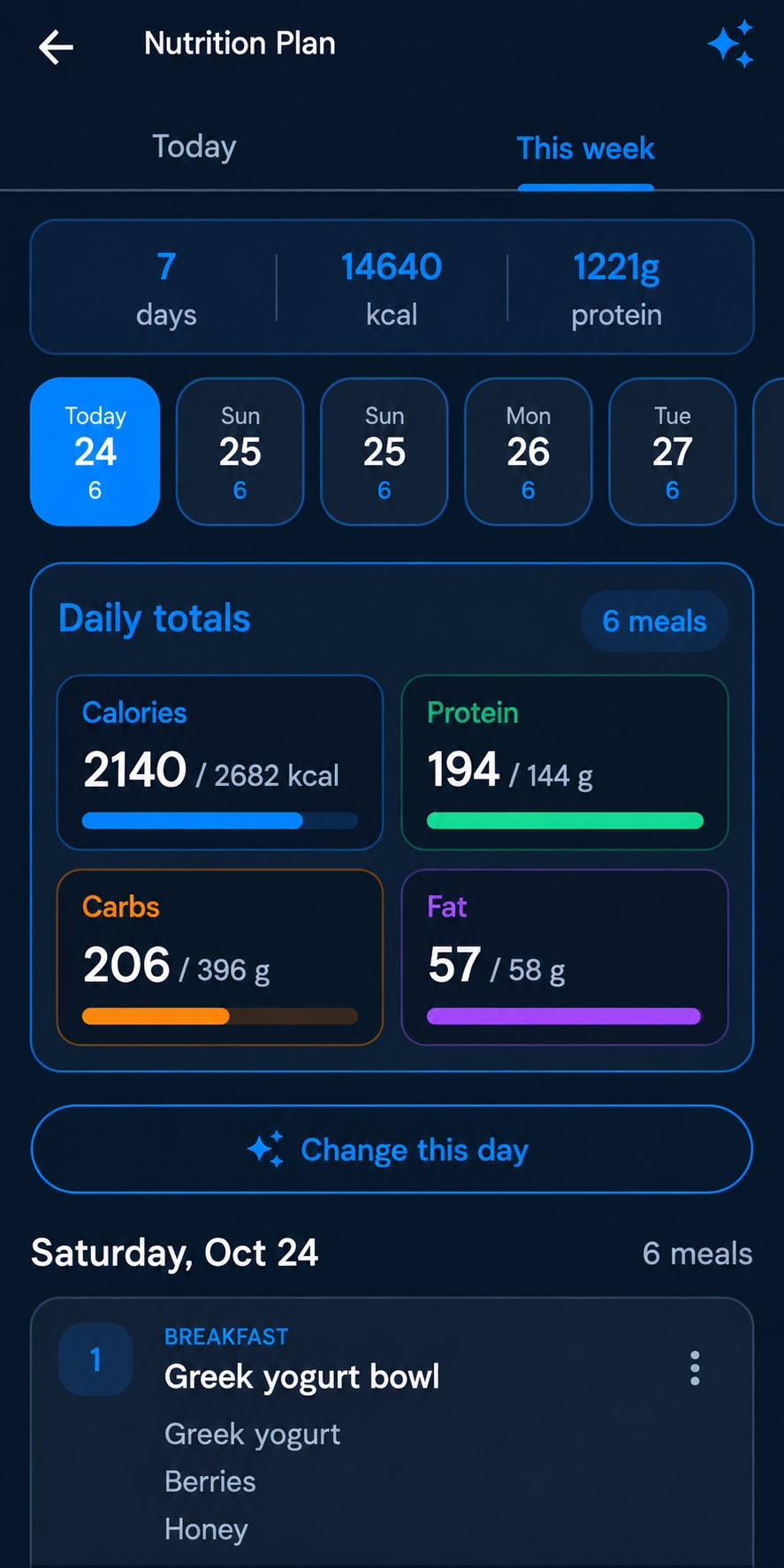
See today's calories and macros.

AI Pro sets a calorie and macro target and lists today's meals against it.

You can change the day. The numbers on this screen are one example. It is a training aid, not medical or dietetic advice.

  • Calories, protein, carbs, and fat
  • Meals for the day
  • Change the day when the plan needs it
Nutrition plan for today with calorie and macro targets and meals.

AI Pro

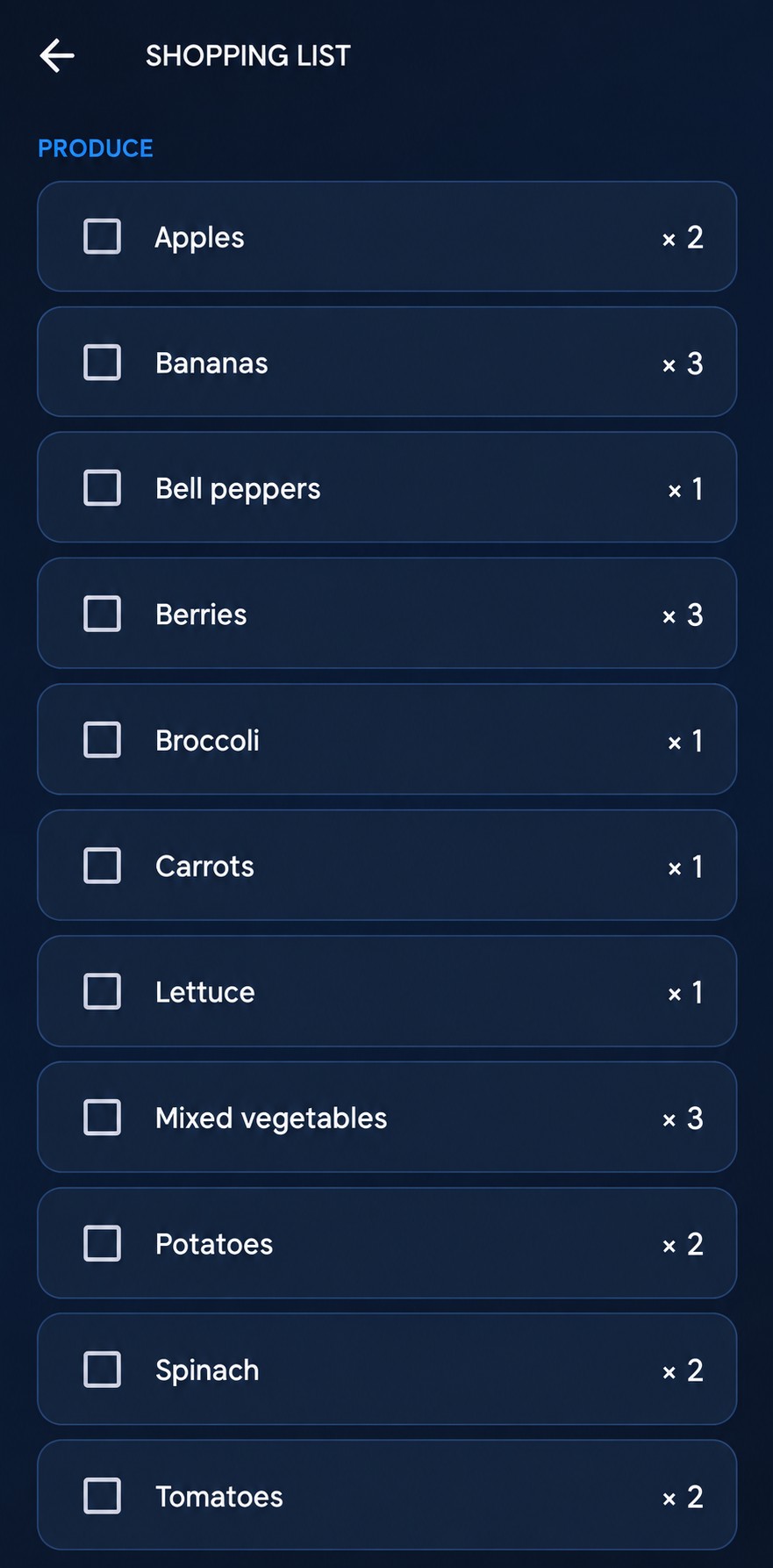
Plan the week, then shop from it.

The week view totals the days, calories, and protein, and lays out each day's meals.

The shopping list is built from that plan. Check items off as you buy them.

  • A week of meals
  • Daily totals against the target
  • A shopping list from the plan

Choose your plan

Google Play shows the price and currency before you purchase. The Free plan is how you start.

Free

Start training

100% Ad-Free. No Interruptions.

Enjoy your workouts without advertising interruptions.

  • Start at no charge
  • Log sets, reps, and weight
  • Build a plan by hand
  • Swap an exercise yourself
AI Pro

AI coaching

For a coach on top of everything in Plus.

  • Everything in Plus
  • A personal AI coach
  • A new plan built with AI
  • AI ranks replacement exercises

Ad-free on Free, Plus, and AI Pro.

Compare Free, Plus, and AI Pro
Free, Plus, and AI Pro
Feature Free Plus AI Pro
Core
Program library Starter Full library Full library
New plan Limited Everything Everything
Existing plans Basic Advanced AI
Progress Basic Advanced AI
Body status Basic Advanced Insights AI
Activity / Steps Basic Advanced Insights AI
Training history Recent Full Full
Goals Included Advanced AI
PUMPIT Energy Included Advanced Insights AI
Running and walking Basic Analytics Analysis AI
Automatic plan Basic Advanced AI
Custom Exercise Up to 50 Unlimited Unlimited
Training
Personal records Basic Advanced AI
Training trends — Included AI
Advanced workout analytics — Included AI
Replace Exercise Included Included Included
Smart exercise replacement — Included Included
AI Exercise Replacement — — AI
Smart Workout Input — Included Included
Smart Plan — Included Included
Short on Time — Included Included
Your AI Coach
AI Coach — — AI
AI Training Monitor — — AI
AI Goal Coach — — AI
AI Workout Review — — AI
AI Adaptive Suggestion — — AI
AI Skip Analysis — — AI
AI Recommendations — — AI
AI Weekly Review — — AI
AI Monthly Review — — AI
AI Goal Forecast — — AI
Nutrition
AI Nutrition Plan — — AI
Nutrition shopping list — — Included
AI Nutrition Insights — — AI
AI Supplements Insight — — AI

Words such as Basic, Advanced, and AI are the labels inside the app. A purple AI mark means the coach adds a read on that row. PUMPIT Watch, heart rate, workout controls, and advanced Energy on the watch are Coming soon on Plus and AI Pro. Subscriptions are billed by Google Play.

Questions

Before you download or subscribe.

What is included for free?

The Free plan covers core training: log sets, reps, and weight, build a plan by hand, swap an exercise yourself, and keep recent history and records. You do not need a trial to start. Free, Plus, and AI Pro are all ad-free.

What is the difference between Plus and AI Pro?

Plus adds the full program library, a program matched to your profile, suggested exercise replacements, Short on Time, and strength and month-to-month progress. AI Pro includes Plus, and adds the coach: a plan built in chat, ranked replacements, Adaptive Suggestion, Coach Score, Training Monitor, and nutrition.

Do I have to use AI?

No. Free and Plus work without the coach. AI Pro is optional.

Does PumpIt support a watch right now?

Not yet. PUMPIT Watch, heart rate, workout controls on the watch, and advanced Energy on the watch are marked Coming Soon. They are not available in the current Android app.

How do I manage a subscription?

Google Play shows the price and currency before you purchase, and bills Plus and AI Pro. Manage or cancel the subscription in Google Play. Deleting a PumpIt account does not cancel the Play subscription. Help and account deletion are on the support page.
Get PUMPIT on Google Play

Start free · Available on Android

Your Training. Your Progress. Your Way. Get the App on Google Play.

iPhone version coming soon